You might also
like
DIY Flight Sims,
Do It Yourself
Flight Simulators
How to order:
Download the videos, documents and decals in a convenient  zip file.  
Your password and download link will be emailed to you, so use an
accurate email address (we do not spam or sell your info).

The videos are in Windows wmv format.  

The instruction manuals and decals sheets are in Adobe Acrobat pdf
format.  
DIY Videos
Online WWII Fighter Cockpit Bundle
(Center-mounted joystick)
Item #D314
$22.99 US dollars + tax
What you get...

DIY FLOOR UNIT WITH CENTER-MOUNTED JOYSTICK PACK
Video 1
- Assembly and adjusting the flight sim frame
- Gluing the flight simulator frame
Video 2
- Attaching joystick / throttle / rudder control mounts
- Painting and adding finishing features

Instruction Manual: 36 pages
Safety
Tools Required
Materials
Part 1:  Assembly
Part 2:  Glue
Part 3:  Control Mounts
Part 4:  Paint and Finish Details
> > AWESOME HUGE 430 MB DOWNLOAD < <
How to order:
Download the videos, documents and decals in a convenient  zip file.  
Your password and download link will be emailed to you, so use an
accurate email address (we will not sell your contact information).

The videos are in Windows wmv format.  

The instruction manuals and decals sheets are in Adobe Acrobat pdf
format.  


Pay securely online using your credit card or PayPal account.
You may also mail in an order with a bank check or money order.
Download a Mail-in Order form (Adobe pdf.)

Due to local laws, all orders are charged local sales tax.
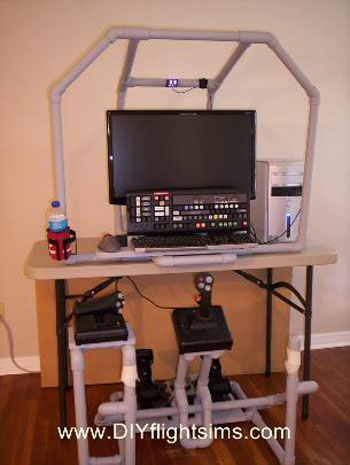
* Designed for the online air combat pilot
* Build with common tools and materials, and your computer and peripherals
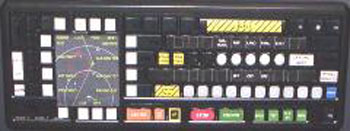
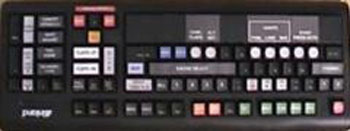
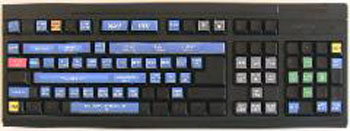
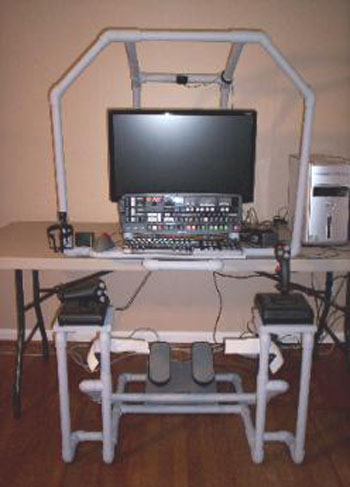
* Desktop Frame supports the IL-2 (WWII) Keyboard mod, monitor, etc.
* Floor Unit: center-mounted joystick, throttle and rudder pedals
 Add to Cart
You can build a home
flight simulator cockpit!  
Our videos and manuals
help!
DIY IL-2 (WWII) KEYBOARD MODIFICATION PACK
Video
- IL2 Button printing and gluing
- IL2 Button assignments

Instruction Manual - Full-color, illustrated
- Safety
- Materials
- Tools Required
- Printing and preparing buttons
- Cutting buttons
- Keyboard Map
- IL2 Event assignments

IL-2 KEYBOARD BUTTON TEMPLATES
Bonus:  Extra buttons to customize your project
DIY DESKTOP FRAME PACK
Video 1
- Cutting and preparing PVC pipe
- Assemble and glue base frame
- Add mounting platforms
Video 2
- Assemble and glue overhead frame
- Paint
- Attach drink holder, keyboard mod, keyboard, trackball mouse,
TrackIR, etc.

Video: Desktop Frame Modification for use with Center Joystick

Instruction Manual  - Full-color, illustrated, 28 pages
Safety
Tools Required
Materials
Part 1:  Assembly and Glue
Part 2:  Paint and Finish Details
FREE DIY VIDEOS
Additional videos to help you complete your project
- Working with PVC pipe, Part 1 and 2
- Sticky Glue Advice
- Paint for Flight Simulators
- Glue it or Screw it?
Share |
Buyer protection:
If you are not satisfied with your DIY video and instruction manual,
email me within 30 days to receive a refund.  
Return Policy
 Add to Cart

Copyright (c) 2005-2011 Roger Dodger Aviation, LLC
All rights reserved
Items sold by Roger Dodger Aviation, LLC are governed and protected by the
copyright laws of the United States of America and international intellectual property agreements

Privacy Policy
Secure online shopping
cart provided by
payloadz.com and your
choice of credit card or
PayPal
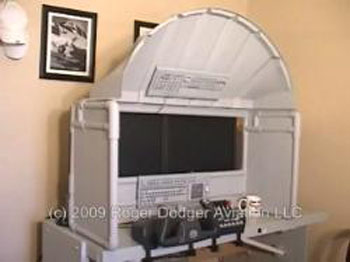
Watch this video to see how to improve
the Desktop Frame so it fits better with
the Center-Mounted joystick.